
Content creation platforms are software tools that help you turn a raw idea into something an audience can view, share, and pay for — covering design, video editing, writing, scheduling, asset management, and monetization. The sources reviewed here treat those as separate categories, so creators typically combine several tools rather than relying on one (Slate, Easy.tools). The practical question is less "which platform is best" and more "which stage of my workflow is costing me the most time."
Key takeaways
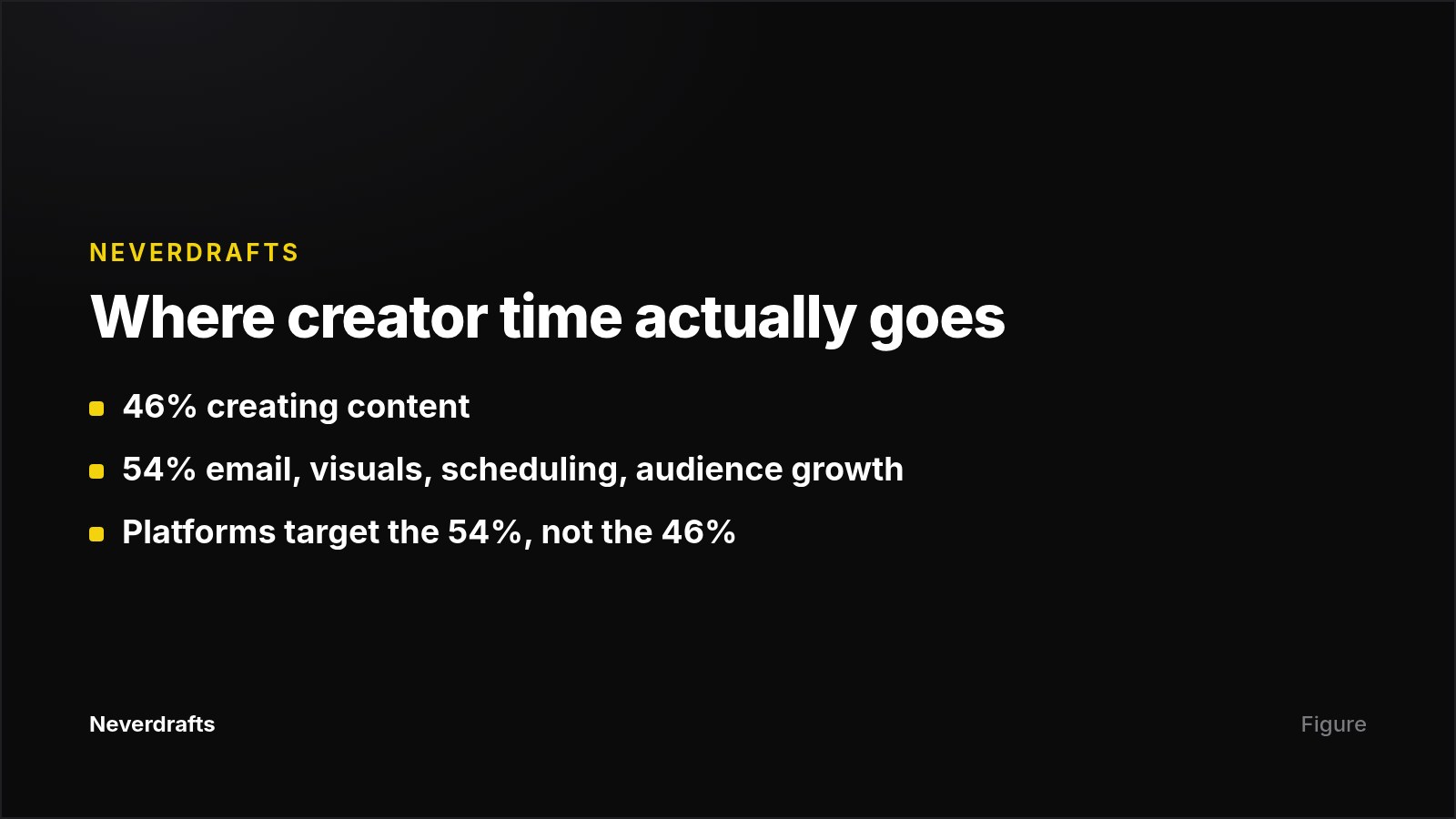
- Only 46% of a creator's time goes to creating content; the other 54% goes to managing email, designing visuals, scheduling posts, and growing an audience — that 54% is what these platforms target.
- Across the round-ups reviewed here, published entry prices run from $0 to $99/month: Canva has a free version, PicMonkey is $7.99/month, VistaCreate starts at $10/month, and Easytools starts at $0/month plus a 5% transaction fee.
- AI features are now table stakes rather than a differentiator — over 100,000 companies use Jasper for on-brand content, and schedulers bundle AI caption writing and content repurposing (Why Optimize).
- Resources, not ambition, are the binding constraint: 32% of small-business owners say lack of resources is their biggest marketing challenge, per the 2024 Small Business Now report.
- Easy.tools' selection method is to evaluate your content outcomes, map tools to content creation stages, weigh cost, complexity and scale, then pick tools that integrate with your existing apps.
What counts as a content creation platform?
Any tool that helps you make posts, videos, images, carousels, captions, articles, or paid digital products. Slate defines a social media content maker as any tool that helps create content for platforms like Instagram, TikTok, LinkedIn, YouTube, or X, noting that work which once needed Photoshop plus a separate scheduler plus a designer can now be done from a phone (Slate).
The broader definition, used by Easy.tools, is a platform that helps creators turn raw ideas into something audiences can view, share, and pay for — which pulls in hosting, email, and monetization tools like WordPress, Sendfox, beehiiv, and Easytools (Easy.tools). Podium frames the same category around business outcomes: better tools let creators do more on a tight timeline and raise content quality, which builds social proof and encourages referrals (Podium).
Why do small teams need one at all?
Because creating isn't the bottleneck — admin is. For small businesses, hiring a full marketing team is usually out of budget, and 32% name lack of resources as their biggest marketing challenge. That's why free tiers and free trials matter more at the evaluation stage than advanced feature sets (Why Optimize).
What are the main types of content creation platforms?
Slate groups the category into five buckets, which is the cleanest way to audit your own stack (Slate):
- Graphic design — Canva (beginner-friendly, template-heavy), Adobe Express, Figma (team collaboration on visuals).
- Video editing — CapCut (TikTok-oriented, filters, text, music), InShot (mobile, good for Reels), Adobe Premiere Pro (full control for polished work).
- Planning and scheduling — Later (visual Instagram planning), Buffer (clean multi-platform interface), Hootsuite (large teams, multiple accounts).
- Copy and hashtags — Copy.ai and WriteSonic for captions, hooks, bios and product descriptions; Hashtagify for trending and niche tags.
- Brand management and assets — Notion or Airtable for content calendars and briefs; Slate for storing brand assets, creating content, and publishing.
Two categories sit outside that list. Writing and editing tools: Grammarly for grammar, clarity, tone, and plagiarism checks; ChatGPT for drafting, critiquing, and translating; Jasper for brand-voice content drawn from a centralized company database (Podium). And end-to-end creator platforms that handle distribution and money: YouTube for reach plus ad, sponsorship, affiliate and membership revenue; Descript for editing; beehiiv and Sendfox for newsletters; Repurpose.io for cross-posting; WordPress for owned publishing; Easytools for selling gated products like PDFs, courses and memberships (Easy.tools).
What do content creation platforms cost?
| Platform | Type | Published price | Best suited to |
|---|---|---|---|
| Canva | Graphic design | Free version available | Small business owners with no design background |
| PicMonkey | Photo editing | $7.99/month, 7-day free trial | Retouching and social-ready image edits |
| VistaCreate | Design + stock assets | Free tier; paid from $10/month | Teams needing royalty-free stock (70M+ photos) |
| Grammarly | Writing assistant | Free version; annual plan $144 | Editing across email, docs and print |
| ChatGPT | AI writing | Free online; paid upgrades | Drafting, critique, translation |
| Jasper | AI brand content | From $39/month per seat (Pro/Business above) | Brand-voice content at team scale |
| YouTube | Video hosting + monetization | $0/month | Reach (2.7B+ monthly users) and ad/sponsorship revenue |
| Easytools | Digital product sales | $0/month + 5% fee; Creator $59; Professional $99 | Selling courses, PDFs, memberships without a website |
Watch the pricing model, not just the number. A transaction-fee plan like Easytools' Starter tier costs nothing until you sell and then scales with revenue, while Jasper's per-seat pricing multiplies with headcount.
How do you choose without buying five tools you don't use?
Why Optimize's three criteria for small businesses are affordable pricing tiers plus free trials, user-friendliness backed by real tutorials and resources, and customer reviews showing how similar businesses actually use the tool (Why Optimize). Combine that with Easy.tools' stage-mapping approach and the shortlist gets short fast.
- Name the bottleneck. Design, editing, writing, publishing consistency, or getting paid? Buy for that stage only (Easy.tools).
- Use the free entry points. Canva, VistaCreate, Grammarly and ChatGPT all have free versions, YouTube costs $0/month, and PicMonkey offers a seven-day trial.
- Verify the connections you'll use. Hootsuite integrates with Canva for post design (Why Optimize); Easytools connects to HubSpot, Zapier and Mailchimp (Easy.tools).
- Decide who else needs access. Figma and Slate are built around collaboration; Notion or Airtable hold the calendar and briefs (Slate).
- Confirm where analytics live. Buffer reports audience demographics and engagement by channel; Sprout Social tracks audience growth, impressions and video views plus competitor monitoring (Why Optimize).
What do platform round-ups usually leave out?
Four gaps recur: genuine side-by-side comparisons (tools are described separately, so nobody tells you where Canva ends and VistaCreate or Adobe Express begins), measured onboarding time rather than asserted "user-friendliness," concrete ROI benchmarks such as engagement lift or hours saved, and team reality — role-based permissions and multi-client agency workflows get far less coverage than solo use cases.
Where does AI search visibility fit into this stack?
One layer none of the round-ups above covers is whether AI assistants recommend you. If ChatGPT or Claude answers a buying question in your category and names a competitor, that happens regardless of how good your Canva graphics are.
That's the narrow slice NeverDrafts works on: it monitors real ChatGPT and Claude answers on prompts you define, scores visibility 0–100, shows which domains get cited instead of you, then generates and publishes articles aimed at the prompts where you're losing. It also tracks whether AI crawlers — Applebot among them — actually reach those published pages. It sits after the design-and-video layer, not instead of it.
Next step
If your gap is publishing content that AI assistants cite, list the 10 buyer questions you want to be recommended for, then check what ChatGPT and Claude currently answer. You can run that check against your own prompt list with a $1 three-day full-access trial of NeverDrafts; plans start at $99/month for one brand, 50 daily prompts and 30 remediation articles per month.
Frequently asked questions
What is the difference between a content creation tool and a content creator platform?
A content creation tool focuses on making or editing a specific asset — a graphic, a video cut, a caption. A content creator platform, as Easy.tools defines it, covers the fuller path from idea to something audiences can view, share, and pay for, including hosting, email, and monetization. Most people combine both.
Can I run a content operation entirely on free tools?
Largely, yes, at the start. Canva, Grammarly, ChatGPT and VistaCreate all have free versions, and YouTube costs $0/month to publish on. The sources don't detail what free tiers restrict, so check export options and seat counts before you build a workflow on one.
How many platforms should a small team use?
Enough to cover your active stages and no more. A common minimum is one design tool, one writing or editing assistant, and one scheduler — Slate's five categories make that audit quick (Slate). Add a monetization or email platform when you have something to sell or a list to nurture.
Do AI features in these platforms replace writers and designers?
No. AI in tools like Jasper, Copy.ai, WriteSonic and HubSpot's Content Hub speeds up drafting, captions and repurposing; Hootsuite can automatically repurpose content — turning a TikTok video into an Instagram Reel in a click — and its OwlyWriter AI writes captions and generates ideas (Why Optimize). Judgment about brand voice, accuracy and what to publish still sits with people.
What should I check before committing to an annual plan?
Whether the published price is per seat, per brand, or revenue-based; whether your must-have integrations exist today rather than on a roadmap; and how similar businesses rate the tool. Free trials, tiered pricing and customer reviews exist so you can answer all three before paying for twelve months.