

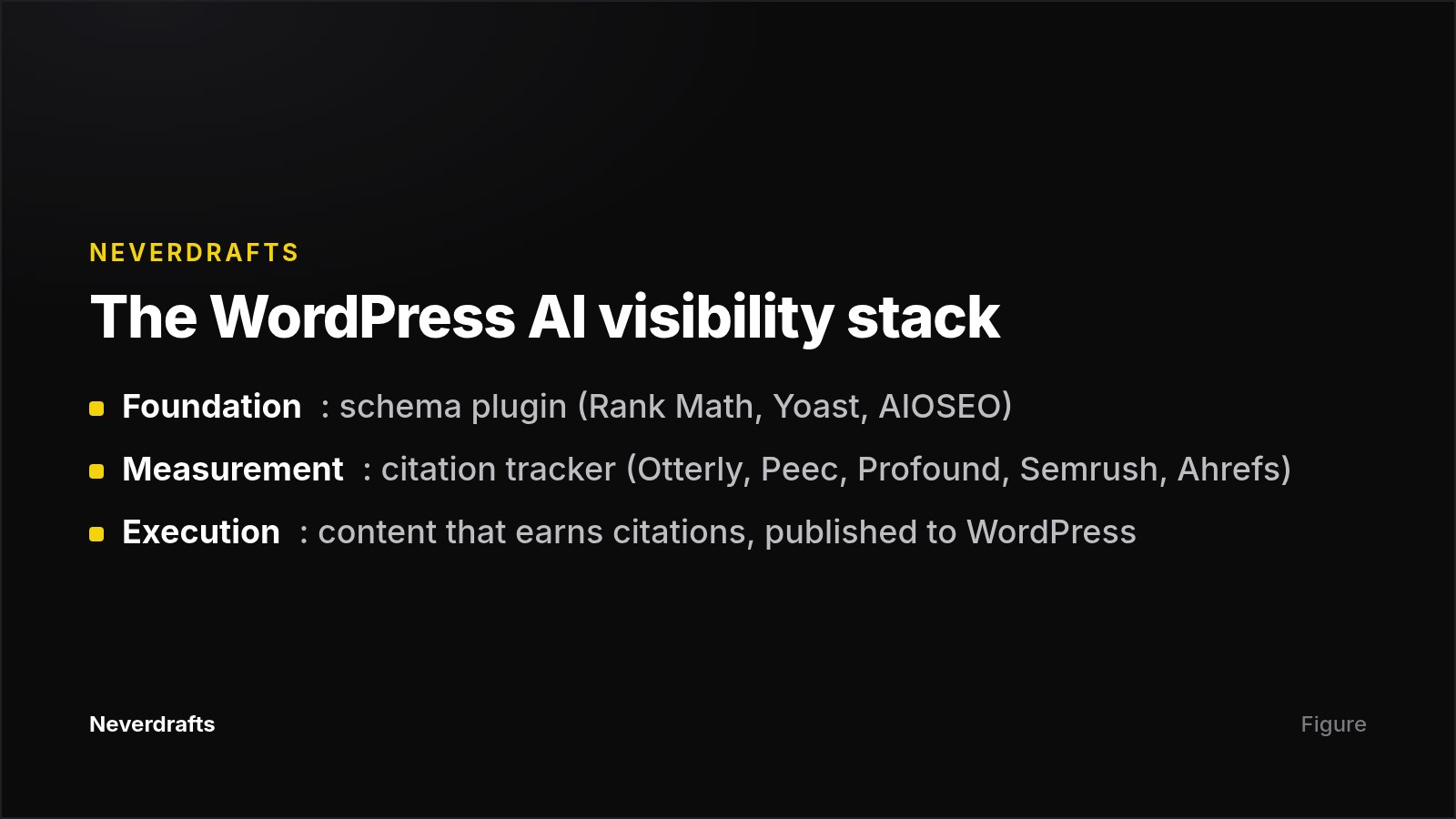
The best AI visibility tool for a WordPress site depends on what you need. OtterlyAI is the cheapest way to start tracking, at $29/month for 15 prompts across four engines. Profound suits enterprises that need a WordPress integration, GA4 and SOC 2. Peec AI fits SEO teams that want broad engine coverage from $95/month. If you want a tool that tracks citations and also publishes fixes to WordPress, look at the execution-focused platforms: Neverdrafts (our product), Indexly and WP SEO AI. Keep a schema plugin such as Rank Math or Yoast underneath whichever tracker you choose. The plugin is the foundation, but it does not measure citations.
Key takeaways
- Tracking and fixing are separate jobs. Most trackers report where you are missing from AI answers. Only a few act inside WordPress to close those gaps.
- Prompt volume is the real product. A $29 plan with 15 prompts answers a much smaller question than a 400-prompt plan. Compare cost per prompt, not sticker price.
- Engines are often upsells. Check that the engines your buyers use are included in your tier, not sold as add-ons.
- Schema alone barely moves citations. A 2026 study of nearly 1,900 pages found near-zero citation uplift from adding schema alone. Plugins are necessary but not sufficient.
- Expect volatility. Cited domains change 40–60% month to month, so read scores as trends.
- Pricing moves fast. Profound removed its $99 and $399 self-serve plans in mid-September 2026, a month after other reviewers had verified them.
Why WordPress site owners need an AI visibility tool now
Traditional SEO plugins tell you about titles, meta descriptions and schema. They cannot tell you whether ChatGPT or Perplexity names your brand when someone asks for a recommendation. That gap matters more each quarter.
The audience numbers explain why:
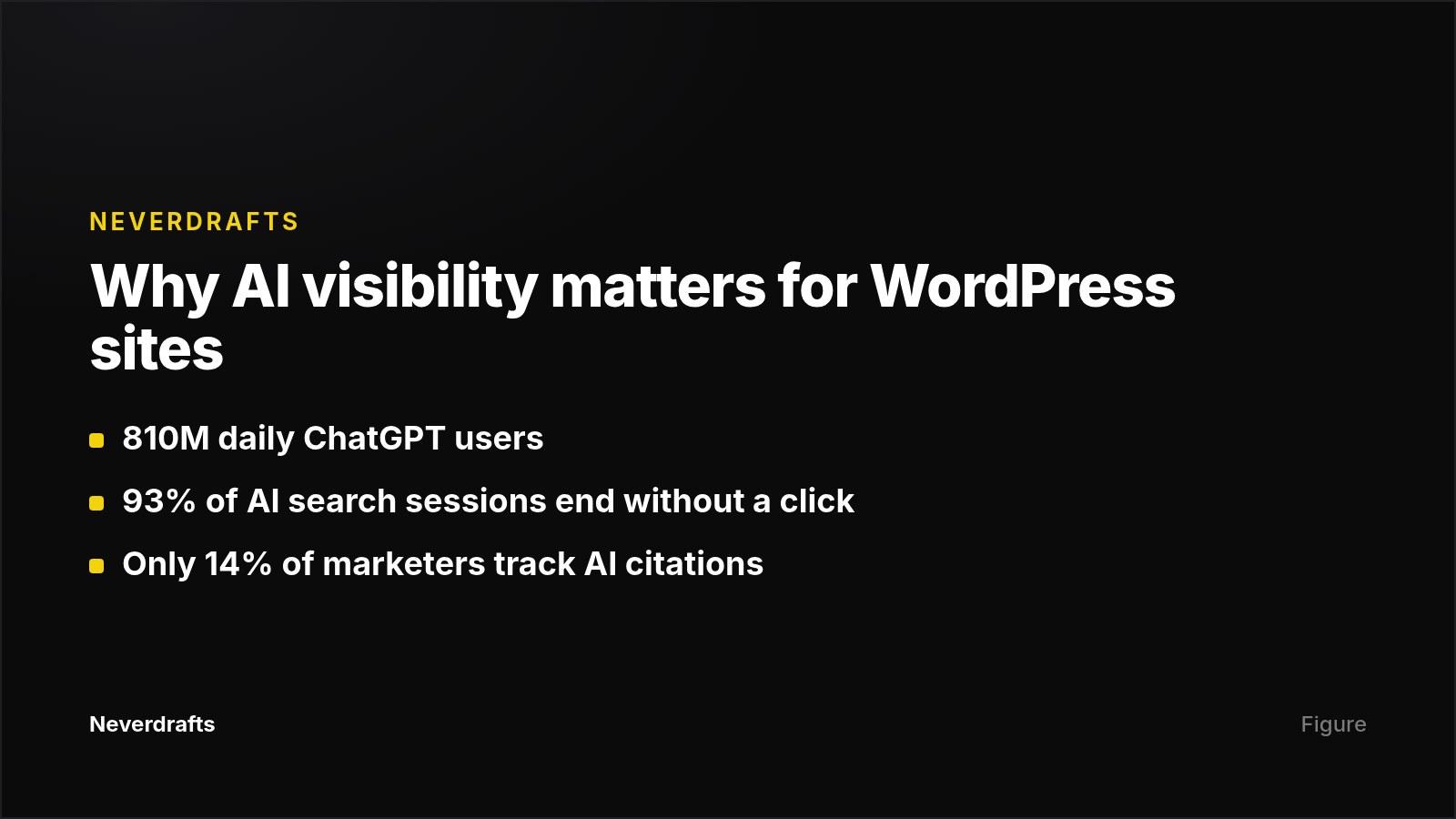
- ChatGPT reaches 810 million daily users, and Google AI Overviews reach 1.5 billion monthly users, according to Superlines data.
- 37% of product discovery queries now start in AI interfaces like ChatGPT and Perplexity.
- Around 93% of AI search sessions end without a website click, so being named in the answer is often the only exposure you get.
- Brands cited in Google AI Overviews see a 23% lift in branded search within 30 days, per a Visionary Marketing study.
Measurement still lags. Only 14% of marketers actively track AI citation visibility, even though nearly 90% of brands already appear somewhere in AI-powered results.
Meanwhile, the number of tools calling themselves "AI visibility platforms" grew from roughly 60 to more than 340 between 2024 and 2026, according to G2 category data. This round-up narrows that list to the options most relevant to WordPress.
The best AI visibility tools for WordPress at a glance
| Tool | Best for | Standout feature | Starting price (per sources) |
|---|---|---|---|
| OtterlyAI | Solo sites and SMBs testing the category | Four engines and a GEO audit on the entry plan | $29/mo Lite |
| Profound | Enterprise and regulated industries | WordPress + GA4 integrations, AI Crawler Visibility, SOC 2 | 7-day trial, then custom quote (Sept 2026) |
| Peec AI | SEO teams and agencies | Broad engine coverage, free pitch workspaces | $95/mo Starter |
| Neverdrafts | Teams that want tracking plus content published to WordPress | Monitor, generate, one-click WordPress publishing, crawler tracking | $99/mo Starter; $1 three-day trial |
| Semrush AI Visibility Toolkit | Existing Semrush users | Site audit for AI readiness | $99/mo per domain, billed yearly |
| Ahrefs Brand Radar | Existing Ahrefs users | Very large prompt database, plus YouTube/TikTok/Reddit | $199/mo (Indexly) or $398–$699/mo (Marqeable, Aug 2026) |
| WP SEO AI | Fully managed GEO inside WordPress | Built natively inside WordPress | €420/mo |
| Indexly | Content teams wanting agents that publish to WordPress | Content agents, llms.txt generator, AI traffic analytics | $99/mo |
| Rank Math / Yoast / AIOSEO | The schema and on-page foundation layer | WordPress-native schema and AI meta tools | From ~$8.99/mo or $49.50/yr |
OtterlyAI: the cheapest way to start tracking
OtterlyAI is a dedicated AI visibility tracker. Zapier names it the best pick for affordability among the nine tools it tested.
Who it is for: Solo site owners, bloggers and small businesses who want to check whether they have an AI visibility problem before committing real budget.
Strengths:
- The Lite plan costs $29/month for 15 prompts tracked daily across ChatGPT, Google AI Overviews, Perplexity and Microsoft Copilot.
- Standard ($189/month, 100 prompts) and Premium ($489/month, 400 prompts) give you room to grow. Annual billing takes 15% off.
- A GEO audit is included, which gives you a technical starting point.
- A free trial is available.
Limitations:
- Claude and Gemini/AI Mode coverage are paid add-ons ranging from $9 to $439/month. Your costs climb quickly if you need those engines.
- Fifteen prompts is a small sample, so Lite works as a pilot rather than a long-term program.
- None of the sources reviewed describe a WordPress plugin or publishing integration. You act on Otterly's data manually in your CMS.
Verdict: The lowest-risk way to see the category work on your own brand. Upgrade to Standard only if the data earns it.
Profound: the enterprise choice with a WordPress integration
Profound is an enterprise AI visibility platform with WordPress and Google Analytics integrations, an Agents action layer and SOC 2 compliance, and coverage across up to ten AI engines. It raised a $96M Series C at a $1B valuation in early 2026.
Who it is for: Large brands, multi-brand portfolios and regulated industries that need procurement-friendly security and attribution.
Strengths:
- Its AI Crawler Visibility feature shows which AI engines are crawling each site. That is useful for technical GEO audits on WordPress installs.
- It publishes the largest prompt dataset in the category: 1.5B+ real user prompts.
- The Enterprise plan tracks ChatGPT, Perplexity, Google AI Mode, Gemini, Copilot, DeepSeek, Claude, Google AI Overviews and Exa. It includes API access, CSV/JSON exports and SSO.
- Data for AI Search describes it as having the largest funded customer base in the category.
Limitations:
- Pricing is in flux. In August 2026, Marqeable verified a Starter plan at $99/month (ChatGPT only) and Growth at $399/month (three engines), both billed yearly. By September 26, 2026, Data for AI Search reported that Profound had removed both self-serve plans in favor of a 7-day trial and a quoted Enterprise plan.
- It is built for enterprise workflows, which brings a learning curve and costs most small WordPress sites will not justify.
- One frequently cited ranking that scores Profound 92/100 also promotes Profound directly on the page. Weigh that score accordingly.
Verdict: The strongest default for enterprise teams, and one of the few trackers with a stated WordPress integration.
Peec AI: broad engine coverage for SEO teams and agencies
Peec AI was founded in Berlin in 2025 and reports over 1,300 brands and agencies onboarded. Zapier picks it for smart suggestions.
Who it is for: SEO teams and mid-size agencies that want deep prompt tracking, competitor analysis and wide engine coverage.
Strengths:
- According to WP SEO AI, Peec tracks visibility, sentiment and position across ChatGPT, Google AI Overviews, AI Mode, Copilot, Perplexity, Gemini and Grok on every paid plan.
- Free pitch workspaces let agencies audit prospect brands without burning quota.
- Data for AI Search highlights its deep source analytics and agency pricing.
Limitations:
- Sources disagree on engine coverage at entry level. Data for AI Search says the entry plan lets you choose 3 engines, with up to 13 on Enterprise. Confirm which applies before you buy.
- There is no confirmed WordPress plugin or CMS-level connection. You get insights, but implementation happens elsewhere.
- Pricing is $95/month Starter and $495/month Advanced. Marqeable notes the figures load dynamically on Peec's site, so check the live page.
Verdict: A strong analytics tool for teams that already have a separate content workflow. It is less suited if you want the tool itself to act on WordPress. If you manage many client sites, our guide to AI search visibility tools for multiple client websites covers agency setups in more depth.
Neverdrafts: tracking plus content published straight to WordPress
Disclosure: Neverdrafts is our product.
Neverdrafts is a GEO platform that monitors where AI engines recommend competitors instead of you. It then generates content aimed at those gaps and publishes it to your CMS.
Who it is for: B2B SaaS teams, agencies and consultants on WordPress who want monitoring and content production in one workflow, rather than a dashboard plus a separate writing process.
Strengths:
- It monitors real ChatGPT, Claude, Google AI Mode and Perplexity answers daily against your tracked prompts.
- Visibility is scored by position on a 0–100 scale per response. Absence scores 0, so you see how prominently you are named, not just whether you are.
- It diagnoses why you are absent by showing which sources the AI cites instead of you.
- It auto-generates remediation articles targeted at the exact prompts you are losing, with one-click publishing to WordPress (plus Webflow, Shopify, Framer and API-first stacks).
- An AI bot-traffic tracker shows which AI crawlers actually visit your pages after publication.
- It tracks competitor share of voice and sentiment, supports content generation in 150+ languages, and offers white-label dashboards for agencies.
Pricing: Starter costs $99/month (1 brand, 50 prompts, 30 articles/month). Growth costs $199/month (3 brands, 150 prompts, 100 articles/month). Agency costs $399/month (10 brands, 500 prompts, 300 articles/month). A $1 three-day full-access trial is available, with no contract.
Limitations:
- It covers four engines. Gemini, Copilot, Grok and Google AI Overviews are not on the tracked list, unlike broader trackers such as Profound or Peec.
- It does not publish customer case studies or quantified outcomes yet, so you will be judging it on your own trial data.
- It does not publish a prompt database size, and it shares the category-wide limits of synthetic prompt panels and non-deterministic answers.
- Generated articles still deserve editorial review before they go live on your domain.
Verdict: A fit if your bottleneck is producing the content that earns citations, not just measuring the gap. For a head-to-head with the category leader, see Neverdrafts vs. Profound.
Semrush AI Visibility Toolkit: best if you already use Semrush
Semrush added AI tracking to its existing SEO suite. Zapier recommends it for existing Semrush users.
Who it is for: Teams already paying for and working inside Semrush.
Strengths:
- It costs $99/month per domain, billed yearly. That covers ChatGPT, Google AI, Gemini and Perplexity, with 25 custom prompts tracked daily.
- It includes competitor analysis, prompt research and a site audit for AI readiness.
- A 7-day trial is available.
- Semrush Enterprise AIO claims 261M+ LLM prompts in its dataset.
Limitations:
- Twenty-five prompts is the smallest allowance at this price, and each extra domain is billed again.
- Extra users start at $45/month.
- Annual billing is assumed in the listed price.
Verdict: A sensible consolidation play if Semrush is already your SEO home. It is weaker value as a standalone purchase for a single WordPress site.
Ahrefs Brand Radar: best if your team already lives in Ahrefs
Brand Radar is Ahrefs' AI visibility add-on. It sits alongside the company's backlink and keyword data, and Ahrefs also offers a WordPress SEO plugin.
Who it is for: Mid-to-large marketing teams running serious SEO programs in Ahrefs.
Strengths:
- It tracks AI Overviews, AI Mode, ChatGPT, Copilot, Gemini, Perplexity and Grok, plus YouTube, TikTok and Reddit.
- The prompt database is very large. Marqeable reports 475M+ monthly prompts; Nick Lafferty reports 405M+.
- Your SEO and AI data share one platform, and an MCP integration connects ChatGPT or Claude to live Ahrefs data.
Limitations:
- Sources quote different prices. Indexly lists it as an add-on from $199/month on top of a $29/month base plan. Marqeable verified $398/month for select platforms or $699/month for all platforms in August 2026. Confirm which tier a quote reflects before comparing to other tools.
- Per Nick Lafferty's coverage matrix, it does not track Claude, DeepSeek or Meta AI.
- As a standalone purchase it is priced against much cheaper dedicated tools.
Verdict: Worth it if Ahrefs is already part of your stack. Hard to justify for a single small WordPress site.
WP SEO AI: managed GEO built inside WordPress
WP SEO AI describes itself as the only platform built natively inside WordPress. That is the vendor's own claim, made on its own blog.
Who it is for: WordPress businesses that want GEO and SEO handled for them rather than run in-house. Indexly's review places it as fully managed GEO + SEO for WordPress without internal overhead.
Strengths:
- It works inside the CMS, which the vendor argues is where GEO work actually happens: structured data, llms.txt file generation and content formatting for AI extraction.
- The managed approach removes the need for an internal GEO specialist.
Limitations:
- At €420/month, it costs more than most self-serve trackers.
- None of the independent comparisons reviewed here test its tracking depth or engine coverage in detail, so ask for specifics in a demo.
- Because it is built inside WordPress, it is unlikely to suit teams running sites on several CMSs; confirm with the vendor.
Verdict: A fit for owners who want to outsource the work and keep everything inside WordPress.
Indexly: content agents with WordPress publishing
Indexly ranks itself #1 in its own round-up of AI visibility tools for WordPress, so treat that ranking as vendor marketing. Its feature list is still relevant to WordPress buyers.
Who it is for: Marketing teams and AEO agencies that want tracking and content creation in one tool.
Strengths:
- It tracks citation status and sentiment across ChatGPT, Google AI Overviews, Gemini, Perplexity, Claude and Grok.
- GEO content agents generate structured articles and push them directly to the WordPress CMS.
- It includes an llms.txt generator, citation gap analysis, Reddit and LinkedIn signals, and AI traffic analytics that attribute AI-referred sessions to citation events.
- Instant indexing runs via the Google Indexing API and Bing IndexNow.
Limitations:
- By the vendor's own account, $99/month requires committed budget, making it less suited to individual bloggers.
- Prompt quotas on the Starter tier constrain high-volume use.
Verdict: A reasonable option for teams who want automated content in WordPress. Run a trial rather than relying on the self-assigned rating.
Rank Math, Yoast and AIOSEO: the schema foundation, not a tracker
Your existing SEO plugin still matters for AI visibility. It just does a different job. A common setup is a three-layer plugin approach:
- A base SEO plugin such as Yoast or Rank Math.
- Advanced schema plugins for specific content types.
- Content formatting plugins for answer boxes and FAQ sections.
The options, with pricing from Indexly's comparison:
- Rank Math Pro (~$8.99/month): WordPress-native on-page SEO with schema automation.
- Yoast SEO Premium ($118.80/year): guided optimization with AI meta generation.
- All in One SEO (AIOSEO) ($49.50/year): multi-site agency management and an AI keyword visibility report.
- WordLift (~€999/month): semantic SEO and a knowledge graph for content-heavy sites.
The limitation: These plugins help AI systems parse your content. They do not tell you whether ChatGPT names you. That same 2026 study of roughly 1,900 pages found near-zero citation uplift from adding schema alone. As WP SEO AI puts it, schema is a foundation, not a strategy.
Verdict: Keep one installed. Pair it with a tracker so you can see whether your content changes produce citations.
How to choose the right AI visibility tool for your WordPress site
Use the criteria below, drawn from the published comparisons cited here, and weight them by your situation.
Which AI engines do your buyers actually use?
Coverage matters because each engine has distinct citation selection criteria. Still, check your own referral data before paying for breadth.
Data for AI Search published its own 30-day log. ChatGPT sent 50 of 52 AI-referred visits, Gemini sent 2, and Perplexity, Claude, Copilot and Grok sent none. For that site, an engine add-on would have bought nothing. Your split will differ, so read your own referrers first.
How many prompts do you get, and at what cost per prompt?
Every vendor meters prompts. Divide the monthly price by the prompt allowance to compare plans fairly. Factor in how often prompts run, how many engines are tracked, and which regions you target.
Can the tool act inside WordPress?
This is the WordPress-specific question. Sort tools into three groups:
- Insight-only trackers. Otterly and Peec report the gaps, and you fix them yourself.
- Integrated trackers. Profound offers a WordPress integration. Ahrefs offers a WordPress plugin alongside Brand Radar.
- Execution tools. Neverdrafts, Indexly and WP SEO AI generate or manage content and publish it to the CMS.
Does it show which AI crawlers visit your site?
Crawler visibility is underrated. Profound's AI Crawler Visibility and Neverdrafts' bot-traffic tracker both show whether AI engines are reading your pages at all. Zapier lists AI crawler visibility and technical analysis as a core evaluation criterion.
Does it give you actions, or just a score?
With 40–60% monthly citation volatility, a raw score alone is not much help. Look for recommendations, citation-source detection and competitor benchmarking that point you to a specific next task.
What do the billing terms hide?
Profound's and Semrush's listed prices assume annual billing. Otterly sells Claude as an add-on. Semrush bills each extra domain separately. Read the fine print before comparing totals.

What every AI visibility tool gets wrong
Every tracker in this category samples synthetic prompts rather than real buyer conversations, reports numbers that differ from competing tools, fluctuates with non-deterministic AI answers, and measures visibility without improving it. Marqeable lists four caveats worth reading before you buy:
- Synthetic prompts, not real conversations. Tools sample their own prompt panels. No vendor sees what your actual buyers type into ChatGPT.
- Different tools, different numbers. Each picks its own prompts and schedule, so two tools can report different visibility for the same brand and both be "right."
- Non-deterministic answers. The same prompt can name you at 9am and skip you at noon. Zapier makes the same point: LLMs produce variations even for identical prompts at the same time.
- Measurement is not improvement. A dashboard shows your absence. It does not make you present.
That last point shapes the budget decision. Citations are earned off-site as much as on-site. Profound's research found 97.4% of AI citations come from non-Tier-1 earned media, such as Reddit threads, niche YouTube videos, LinkedIn posts and vertical sites. Citation sources also vary by industry and by model. That means your WordPress content strategy needs to fit your vertical, not a generic template.
Clicks are a weak proxy too. Data for AI Search's 52 AI-referred visits produced 0 leads, because visitors arriving from ChatGPT are mid-research. If you need to justify spend, our breakdown of how to prove GEO ROI in three layers covers visibility, engagement and revenue.
Can you track AI visibility on WordPress for free?
Yes, at a basic level. Marqeable recommends two zero-cost measurements before any subscription:
- Segment AI referrals in GA4. Visits from ChatGPT, Perplexity, Copilot and Gemini are identifiable today.
- Run a manual monthly panel. Ask ten buyer questions in each major assistant and log the answers in a spreadsheet. It is crude, but it is the same method the paid tools automate.
If the manual panel shows a real gap, a paid tool adds systematic tracking, competitor share and citation sources. For smaller businesses weighing that step, see when AI search visibility is worth the investment for small SaaS.
Next step
Before you pick a plan, pull up your WordPress site's GA4 referrers and check which AI engines already send visits. If you want to see your gaps and publish fixes from the same dashboard, start a $1 three-day full-access trial on the Neverdrafts pricing page. Track the prompts you care about for three days, then decide whether the Starter plan's 50 prompts and 30 articles per month fit your site.
Frequently asked questions
Do I need a WordPress plugin to track AI visibility?
No. Most AI visibility trackers run outside WordPress and query AI engines directly, so they work with any site. Plugins like Rank Math, Yoast and AIOSEO handle schema and on-page structure, not citation tracking. A WordPress integration only matters if you want the tool to publish or edit content in your CMS. That is the main difference between tracking-only tools and execution tools.
Is schema markup enough to get cited by ChatGPT?
No. A 2026 study tracking nearly 1,900 pages found near-zero citation uplift from adding schema alone. Schema helps AI systems parse your content structure and still supports traditional rich results, so keep it. But citations depend on content that answers real buyer questions and on third-party mentions in places like Reddit, YouTube and LinkedIn.
What is the cheapest way to track AI visibility for a WordPress site?
The free route is GA4 segmentation for AI referral traffic plus a manual monthly panel of about ten buyer questions per assistant. The cheapest verified paid option is OtterlyAI Lite at $29/month for 15 prompts across ChatGPT, Google AI Overviews, Perplexity and Copilot. Claude and Gemini cost extra.
Why do two AI visibility tools show different scores for my site?
Each tool picks its own synthetic prompts and runs them on its own schedule. AI answers are also non-deterministic, so the same prompt can produce different results hours apart. Two tools can disagree and both be accurate for their own samples. Track one tool consistently over time and read the trend, not the absolute number.
Which AI engines should a WordPress site track first?
Start with the engines that already send you traffic. Check your GA4 referrers first. In one published 30-day log, ChatGPT sent 50 of 52 AI-referred visits. Most sites should cover ChatGPT and Google AI Overviews at minimum, then add Perplexity, Gemini or Claude if your audience uses them.
How often should I check AI visibility results?
Most tools track prompts daily, but citations shift 40–60% month to month, so daily scores are noisy. Review trends weekly and judge content changes over a full month. That gives you enough data to separate real movement from the random variation built into how AI models generate answers.
Sources
- WP SEO AI — Best AI Visibility Platforms for WordPress Agencies
- Data for AI Search — The best AI visibility tools in 2026
- Indexly — 10 best AI visibility tools for WordPress websites in 2026
- Nick Lafferty — Best AI visibility optimization platforms
- Zapier — The 9 best AI visibility tools in 2026
- Marqeable — Best AI Visibility Tools (2026): Profound, Peec, Otterly, and More Compared