
To track AI search visibility for your Shopify store, measure two things. First, whether AI assistants like ChatGPT, Perplexity and Gemini mention, cite or recommend your products. Second, whether that visibility turns into sessions and sales. In practice, you pair a prompt-tracking tool with Shopify Analytics or Google Analytics, then review both on a fixed schedule.
Key takeaways
- Start with free data. Shopify Analytics can filter any report by Referrer name or Order referrer name to isolate ChatGPT traffic.
- Track three layers of visibility separately: mentions, citations and product recommendations.
- Separate branded prompts from unbranded ones. The unbranded prompts show whether shoppers who don't know you yet will find you.
- Most AI visibility tools were built for B2B SaaS rather than ecommerce. Check for product-level tracking before you buy.
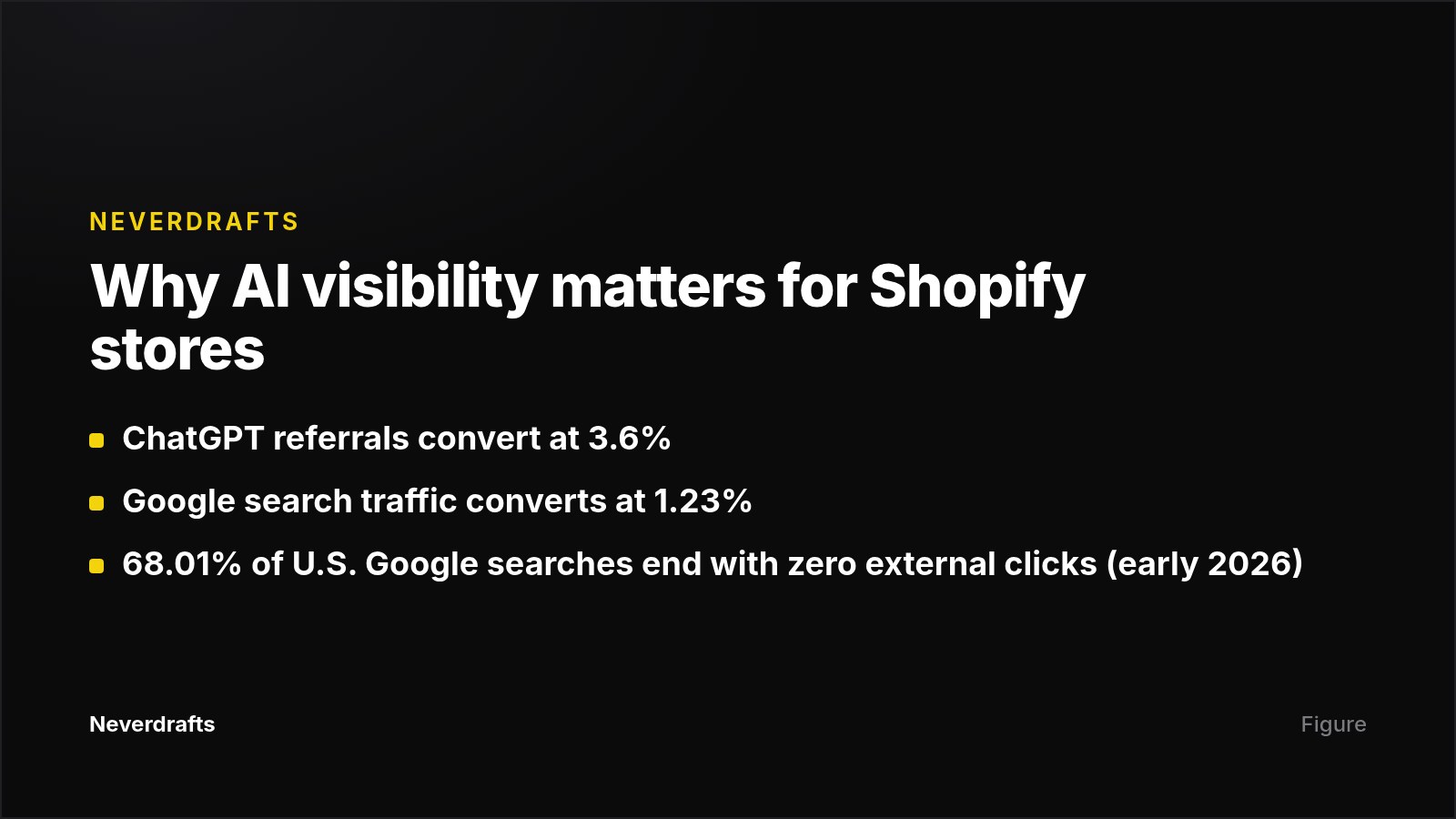
- This traffic deserves the effort. ChatGPT referrals convert at 3.6% versus 1.23% for Google search.
What you need before you start
- Shopify Analytics access, so you can run the Sessions by referrer and Sales by referrer reports.
- A list of hero products, categories and three to five competitors shoppers compare you with.
- A budget decision. Dedicated trackers range from $37/month (Wellows Lite) to several hundred dollars a month.
Step 1: Establish your AI referral baseline in Shopify Analytics
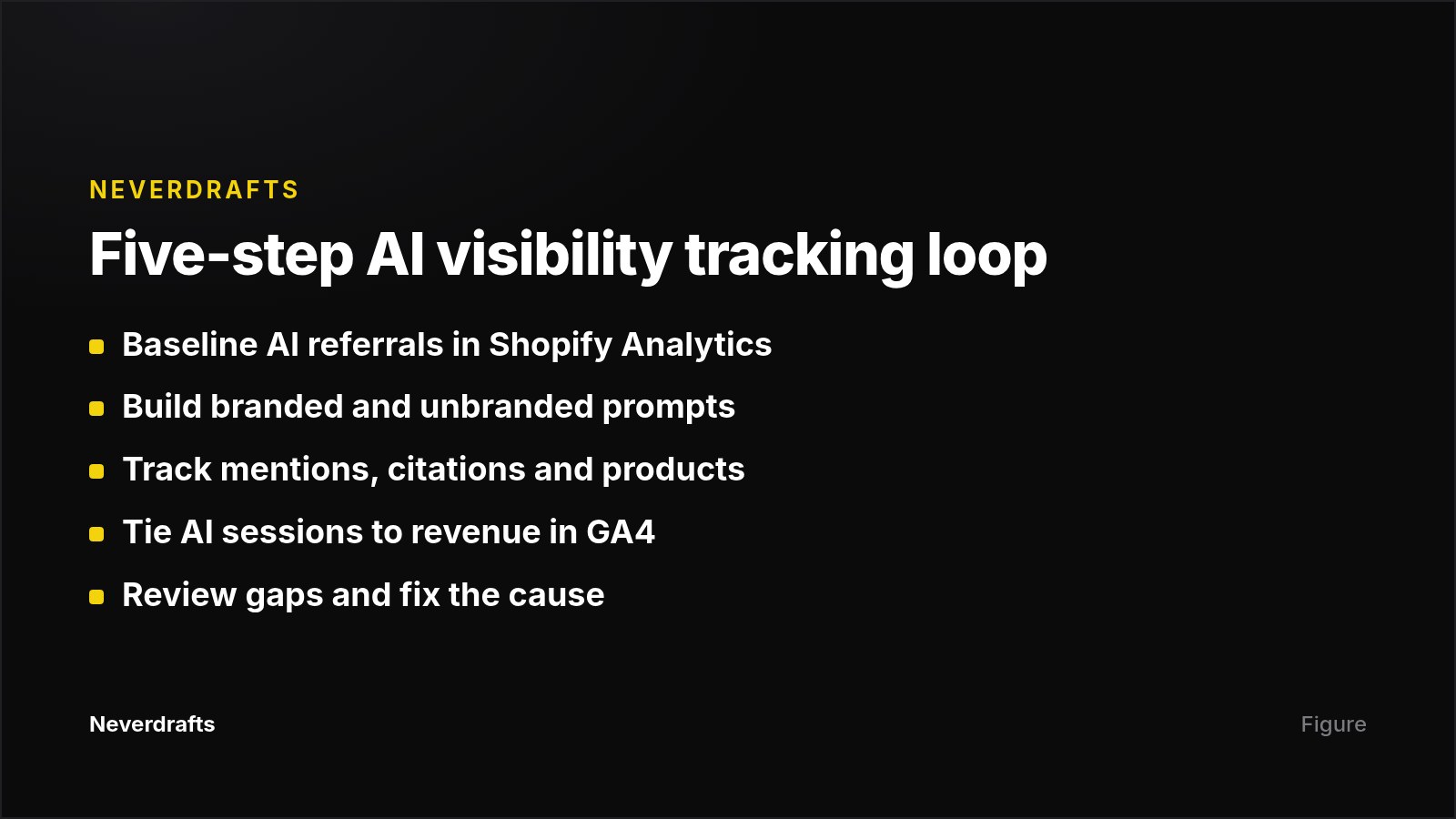
Open any Shopify Analytics report, click Filters, and enter "ChatGPT" under Referrer name or Order referrer name. Use Referrer name for session reports and Order referrer name for sales reports, then add Perplexity and Gemini the same way.
Compare AI referrers against Google and your store total across:
- Sessions over time
- Sessions by referrer
- Sales over time
- Sales by referrer
What good looks like: a short note recording AI sessions, conversion rate and revenue for the last 30 and 90 days, plus the landing pages that receive this traffic.
Common mistake: relying on traffic alone. Many shoppers read an AI answer and never click through, much as 68.01% of U.S. Google searches ended with zero external clicks in early 2026, so referral data understates AI's influence. Pair it with visibility tracking.
Step 2: Build a prompt list that mirrors how shoppers ask
Prompt tracking is the AI equivalent of keyword tracking, but you have no impression data telling you which prompts matter, so build the list yourself. Write a few dozen buyer questions split into three groups:
- Unbranded category prompts, for example "best waterproof daypack for commuting," the type of example Botric uses.
- Unbranded problem prompts, for example "affordable skincare for sensitive skin."
- Branded prompts, for example "is [your brand] good for flat feet?"
AI engines use query fan-out, turning one prompt into several related searches. Perplexity turned a question about affordable sheets into "high-quality sheets under $50," "affordable sheet sets with good reviews," and "best budget cotton sheets". Include similar variations with price, use case and constraint modifiers.
Common mistake: tracking only branded prompts, which hides the gap on category questions where new customers decide what to buy.
Step 3: Choose a tool that tracks products, not just your brand
Choose a tracker that reports which of your products AI recommends, not just whether your brand is named. A tracker runs your prompts across AI platforms on a schedule and shows when your brand appears, which sources get cited, and where competitors show up instead.
For ecommerce, the deciding feature is product-level tracking. A brand can be mentioned yet never have its actual products recommended. Integrations matter too: Shopify integration is rare, and Google Analytics integration is rarer.
| Tool | Starting price | Strength | Limitation for Shopify |
|---|---|---|---|
| Wellows | $37/month | Separates mentions from citations; outreach workflow | Full five-engine coverage requires the Starter tier or higher |
| Yotpo Discover | Pricing not published (contact sales) | Visibility tied to live catalog, reviews and loyalty data | Pricing opacity |
| Semrush AI Visibility Toolkit | $99/month add-on | AI tracking alongside existing SEO data | 25 tracked prompts fill up fast for large catalogs |
| Ahrefs Brand Radar | $199/month per AI index, on top of a base plan | Large prompt database for market benchmarking | Costs add up when you stack indexes |
| Glara | Not published | Native Shopify catalog import and GA revenue attribution | Integration claims come from Glara's own comparison; verify in a demo |
| Neverdrafts | $99/month Starter (50 prompts) | Daily checks on ChatGPT, Claude, Google AI Mode and Perplexity; publishes fixes to Shopify | No Gemini tracking |
Disclosure: Neverdrafts is our product. We score each AI answer from 0 to 100, weighted by where your brand appears in the response, and track AI crawler visits to your site so you can confirm that citations moved after you published content. For more budget options, see our roundup of 15 AI visibility trackers under $100.
Step 4: Connect visibility to revenue
AI assistant traffic appears in Google Analytics as referral traffic from chatgpt.com, perplexity.ai and gemini.google.com. Set up the following:
- In GA4, create a segment or custom channel group covering these referral sources.
- Apply it to your purchase and revenue reports, broken down by landing page.
- Match the top AI landing pages against the products your tracker says are being recommended.
What good looks like: you can say, "Our linen collection appears in four of ten tracked prompts and drives most of our AI-referred revenue." That statement justifies continued investment.
Common mistake: treating visibility scores as the goal. A rising score that never moves sessions or orders means you are winning the wrong prompts.
Step 5: Review on a schedule and act on the gaps
Check your visibility on a fixed cadence, and note every product launch or promotion so you can see whether it changed your AI presence. For each gap, look at which sources the AI cites instead of you:
- Weak training-data presence. The AI may find your site but still prioritize a competitor it recognizes as more popular. The fix is PR and coverage in authoritative publications.
- Weak retrieval (RAG) presence. You are missing from the pages returned for fan-out queries. The fix is clear product specs, current pricing, reviews and content that answers those queries directly.
Mistakes to avoid
- Buying a monitoring-only dashboard with no plan to act. Glara and Botric both argue that monitoring without a fix path stalls progress; decide who will act on gaps before you buy. See our guide to GEO tools that track, diagnose and fix.
- Ignoring third-party sources. AI answers often draw on Reddit threads and editorial roundups, not just your own product pages.
Next step
Run Step 1 in Shopify Analytics this week. Then compare your baseline against a free Neverdrafts audit to see which buyer prompts currently recommend competitors instead of you. The audit requires no credit card, so you can decide whether ongoing tracking is worth it.
Frequently asked questions
Can I track AI search visibility for free?
Partly. Shopify Analytics and Google Analytics show AI referral traffic at no cost, and you can test prompts manually in ChatGPT or Perplexity. What free methods can't do is track many prompts consistently over time across several engines, which is why stores pay for a dedicated tool once their prompt list grows.
Which AI referrers should I filter for in Shopify?
Start with ChatGPT, since Shopify identifies it as the most popular AI referrer, then add Perplexity and Gemini. In Google Analytics, the matching sources are chatgpt.com, perplexity.ai and gemini.google.com.
How many prompts should I track?
Start with 20 to 30 buyer questions covering your important products, categories and customer needs, keeping branded and unbranded prompts separate. Expand the list once you see which categories generate the most AI-referred traffic.
How often should I check AI visibility?
Refresh cadence varies by tool: Wellows offers daily, weekly or monthly tracking, and Semrush's Brand Performance reports update weekly. Pick a fixed cadence for your own reviews and always re-check after launches or promotions.
Why does AI recommend competitors even when my site is indexed?
AI engines combine live retrieval with training data. If a competitor appears more often in that training data, the model may favor it even when it finds your site. Closing the gap usually takes both stronger coverage in authoritative publications and clearer product information on the pages AI retrieves.